
Four products, one engineering team
Four platforms built end to end by Levaros: Smart Campus, which runs a campus; Volly Engine V3, the eyes of the factory floor; Agoris, behind the counter; and Palestris, running the gym.

Smart Campus
University Management System
Six roles from owner to student, with academic and administrative processes on one panel.

Volly Engine V3
Factory AI Camera System
An AI layer added to the cameras you already have, catching safety violations and lost output 24/7 on its own.

Agoris
POS for Cafés, Restaurants and Markets
Orders, payments, stock and end-of-day on one screen. Tables, sales by weight, barcodes — configured to your business, running on a tablet.

Palestris
Gym Membership & Payment System
Memberships, contracts and payments for multi-branch gyms. Registration finishes on the member’s phone, not at the desk.
Smart Campus
University Management System
From owner to student, dean to finance — the smart management platform that unifies every layer of campus in one system.
Core features
Role-based modules
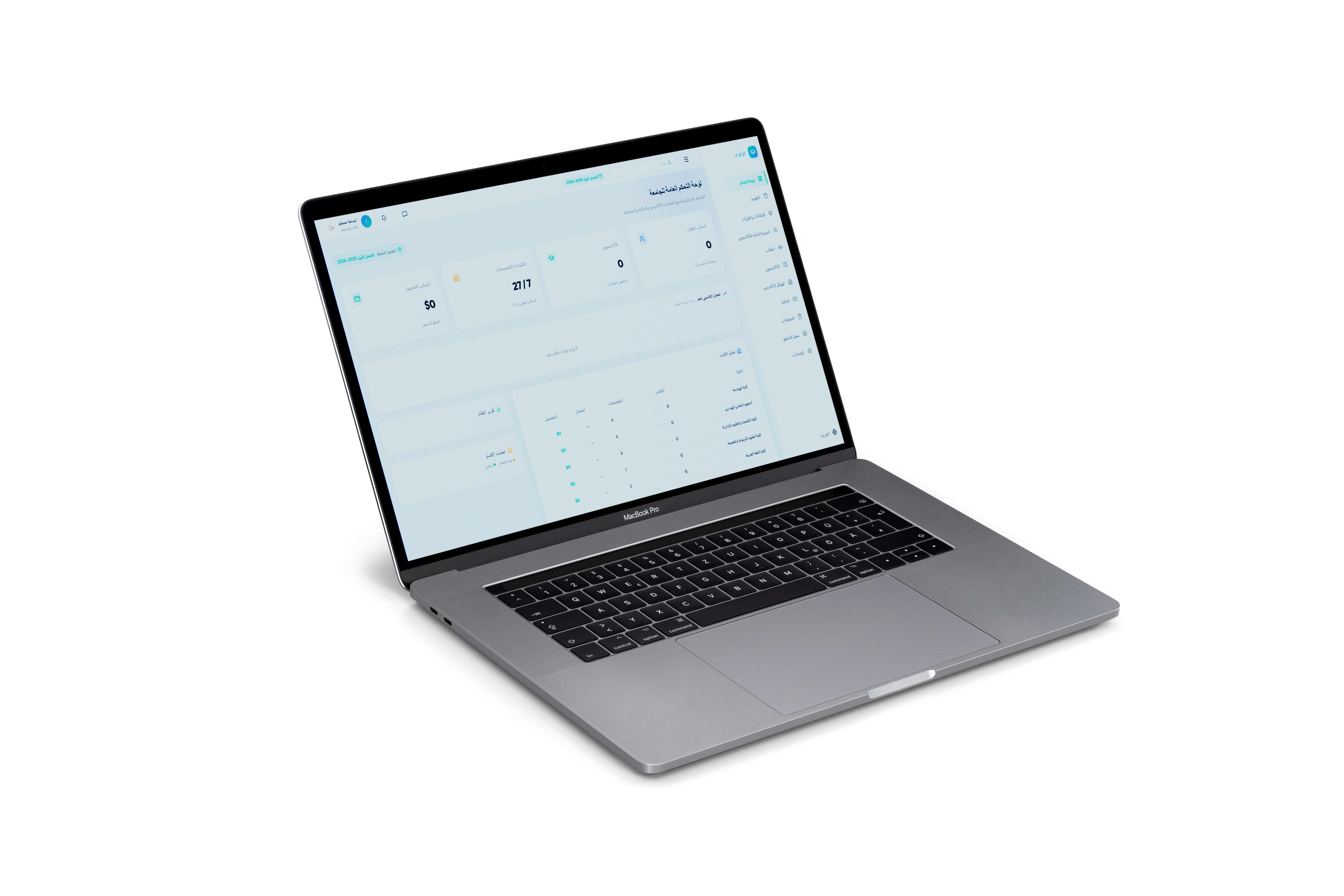
Owner / Founder
Monitor the entire institution from a single screen. Real-time stats, audit logs and strategic decision support.
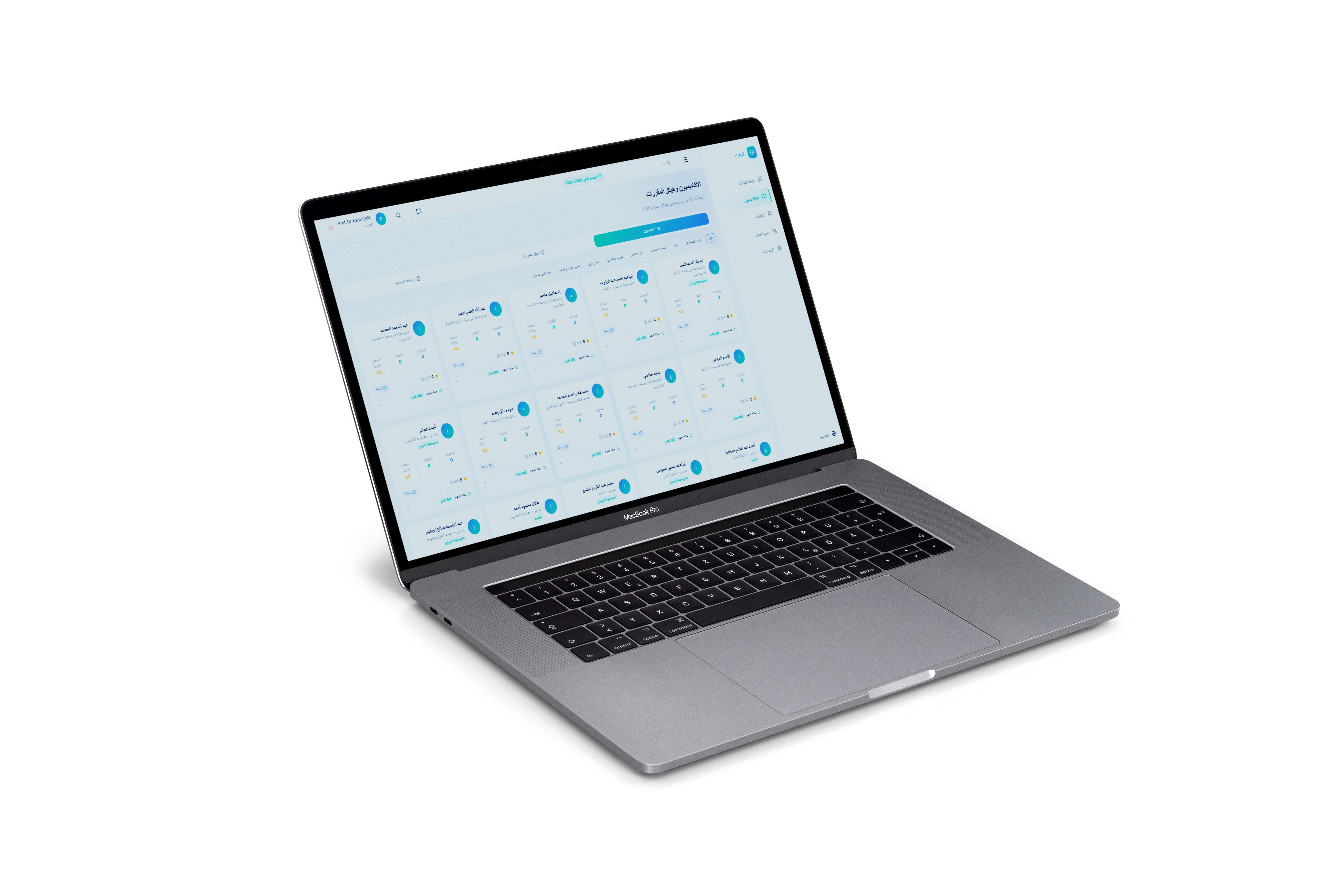
Dean
Manage academic calendar, department performance and faculty workload tracking from one panel.
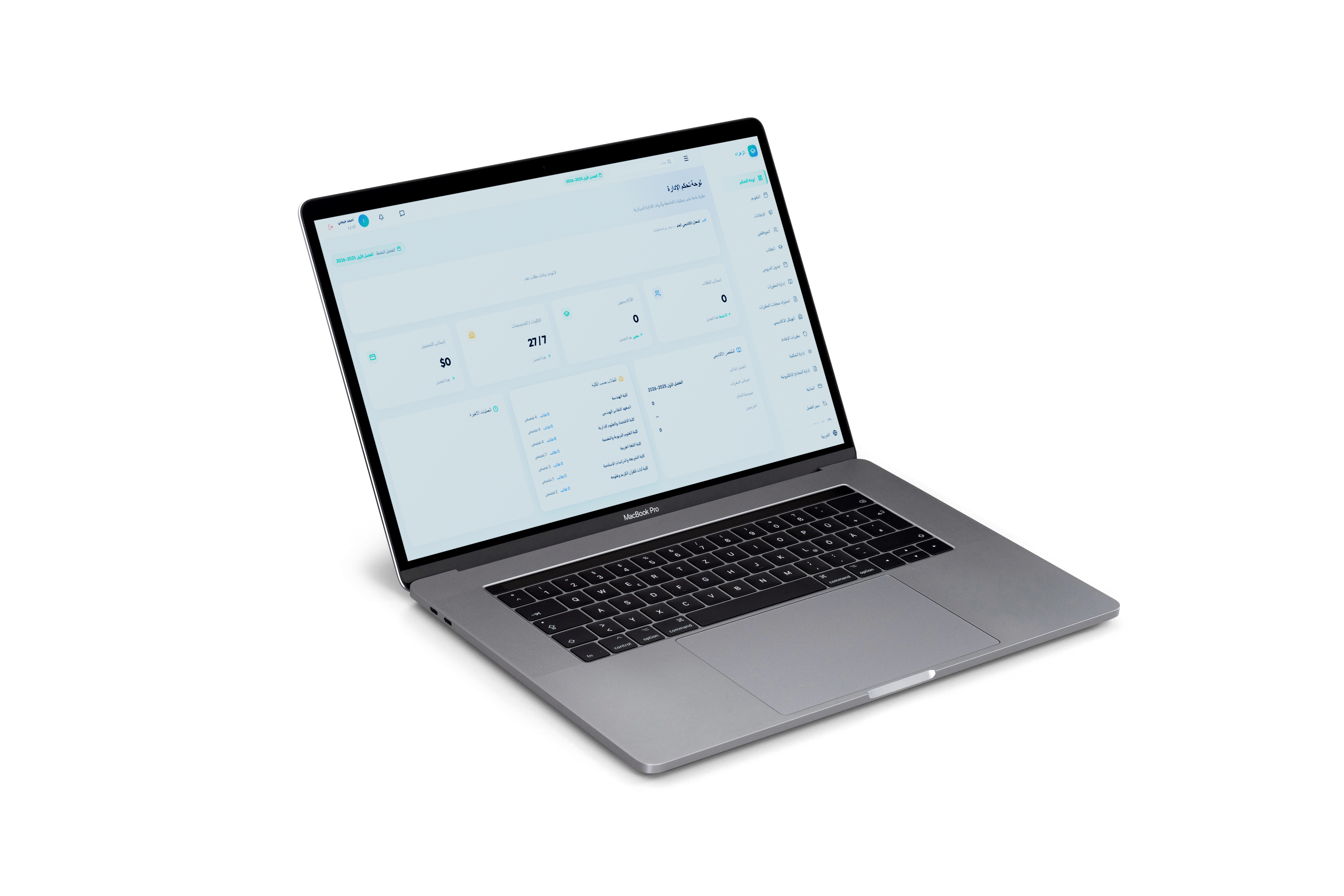
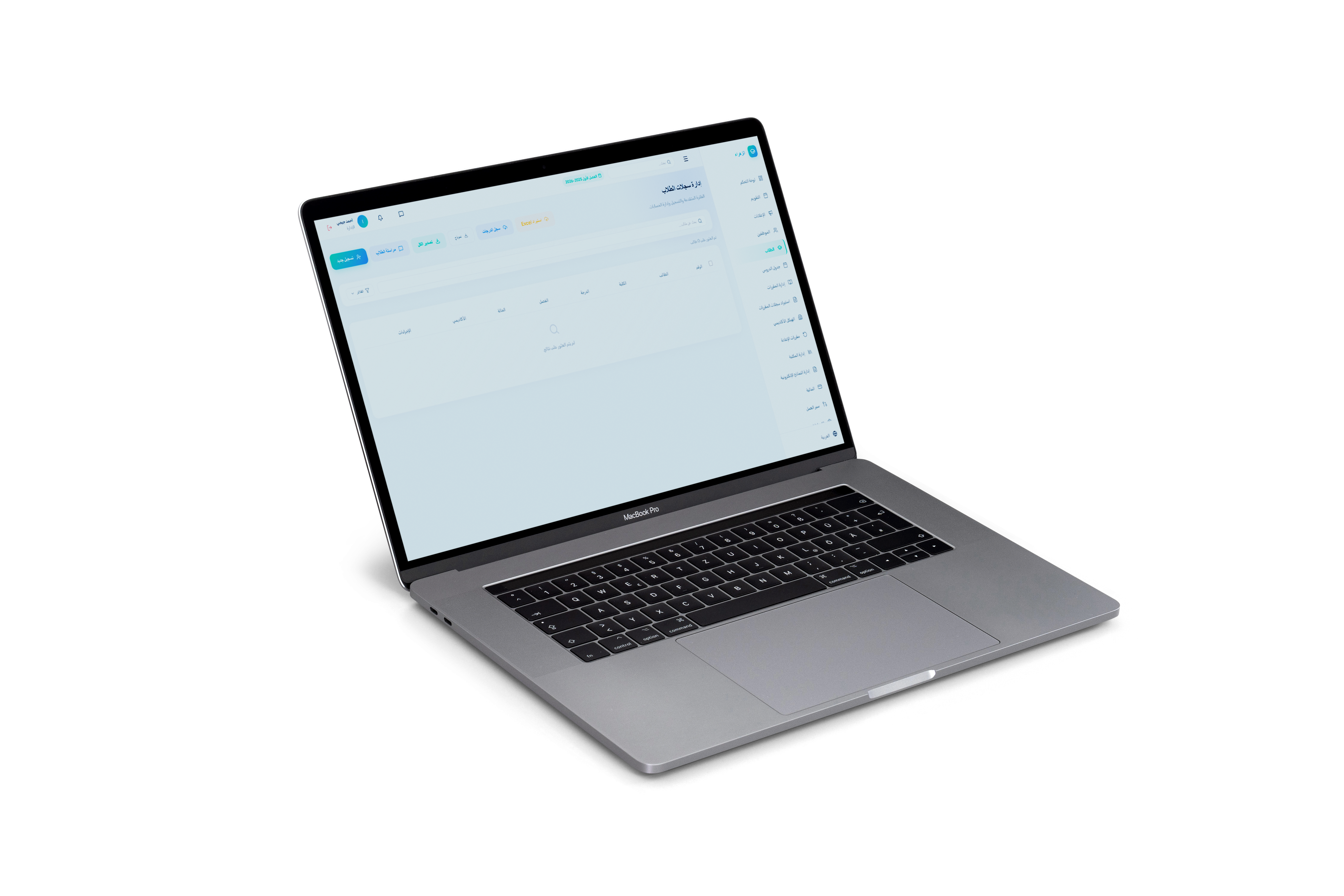
Administration
Speed up administrative tasks with student registration, scheduling, library and announcements modules.
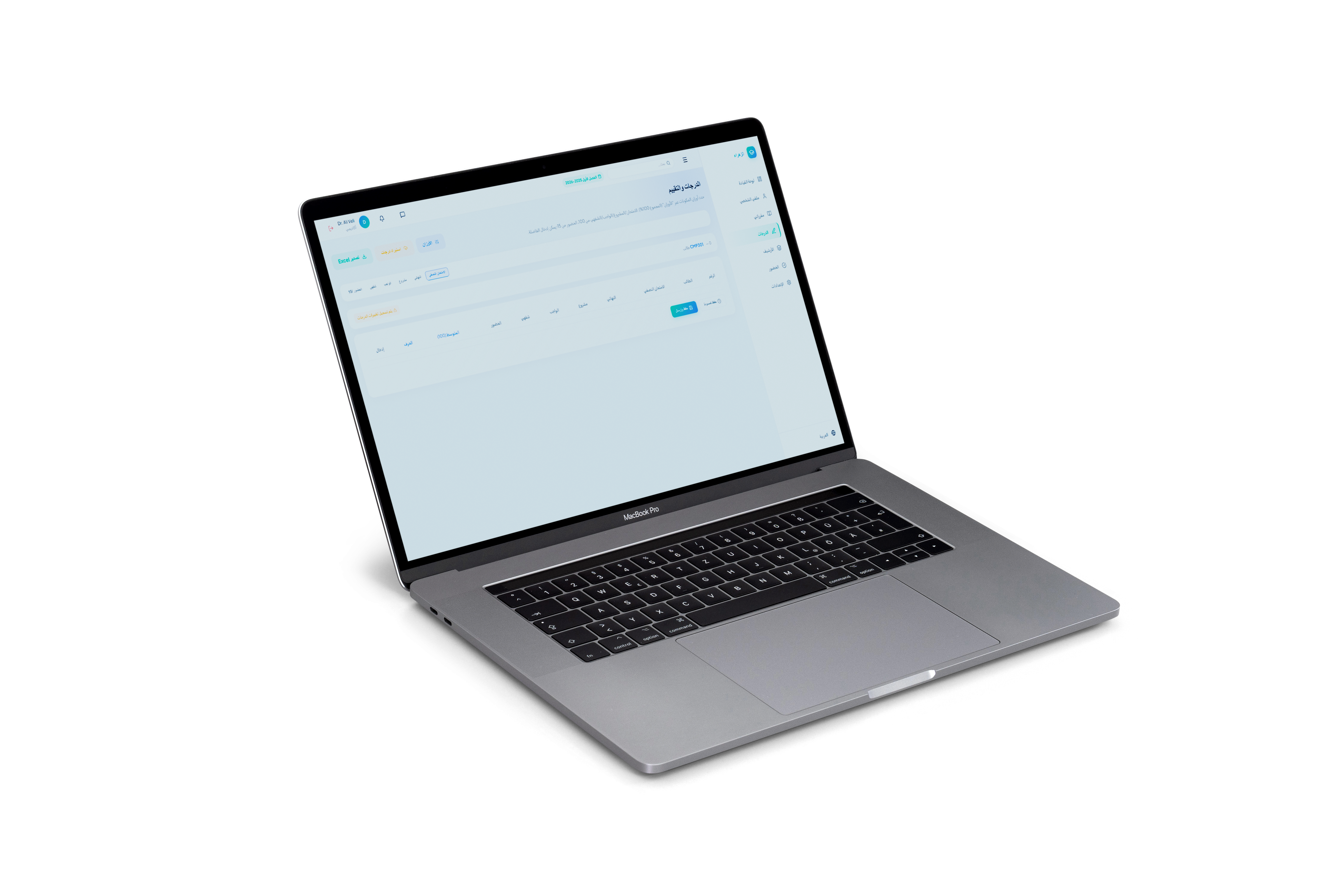
Lecturer
Complete grade entry, attendance tracking and assignment management quickly with a streamlined interface.
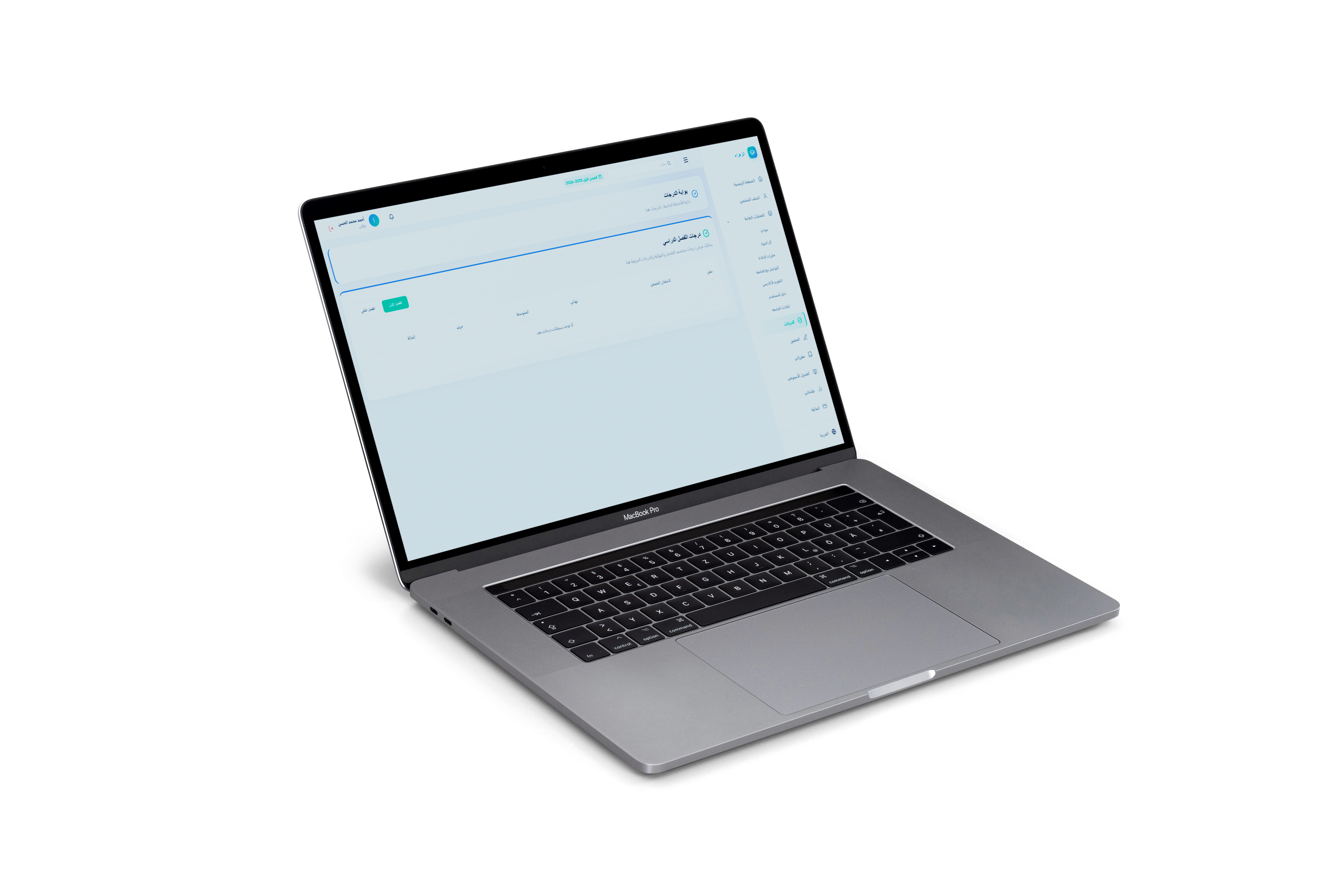
Student
Access grades, schedule, financial status and library services from any device instantly.
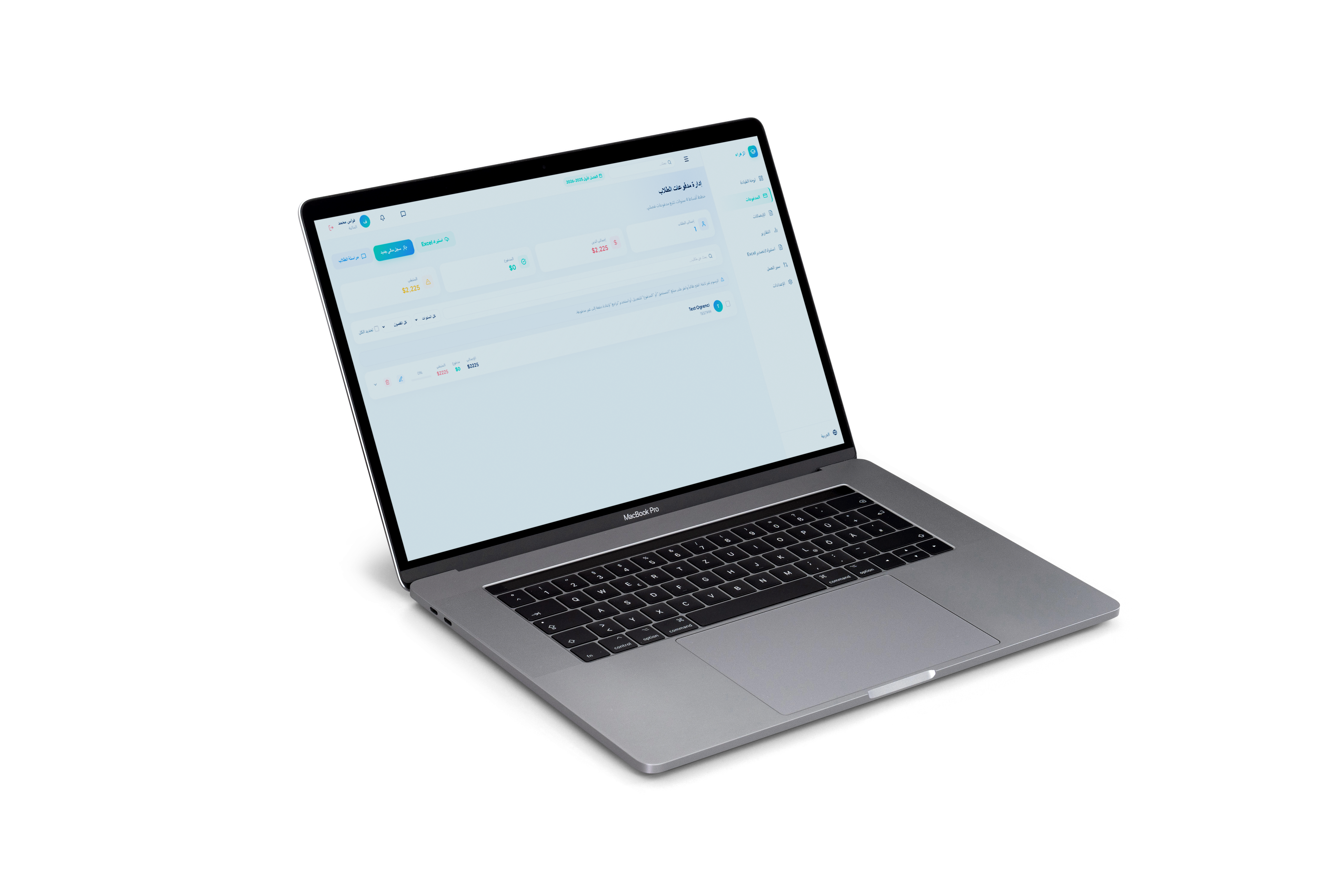
Finance
Achieve financial transparency with student payment tracking, scholarship management and collection reports.

Smart Campus
Explore the full-screen presentation to learn more about the product.
Volly Engine V3
Factory AI Camera System
Turn your factory into an autonomous decision center
Add AI to the cameras you already own. A safety and productivity layer that runs 24/7 and decides on its own — without buying a single new device.
The solution
What exactly does Volly do?
Analyzes
Scans the frame in real time.
Detects
Catches the anomaly with the AI model.
Raises the alarm
Fires the trigger in under one second.
Records
Archives the moment, tagged and searchable.
Notifies / acts
Alerts the right person or stops the machine directly.
The full loop runs without human intervention — people step in when needed, not every second.
Scenarios
What it solves on the floor

Scenario 1
Occupational health & safety
PPE compliance
Autonomous 24/7 checking of helmet, hi-vis vest, goggles and gloves at over 90% accuracy.
Instant response
When a violation is detected, the responsible person is alerted within seconds by SMS, email or dashboard.
Falls and immobility
Skeleton analysis (pose estimation) detects dangerous falls or immobility and triggers the emergency protocol.

Scenario 2
Dynamic distance and blind spots
An invisible safety shield
Distance between people, machines and vehicles is computed in milliseconds, forming a moving safety perimeter around each unit.
Unauthorized access
Immediate detection of any person or vehicle entering a hazardous or restricted zone such as high-voltage areas or active presses.
Blind-spot protection
Autonomous warning the moment forklifts, cranes or heavy equipment enter a dangerous approach distance.
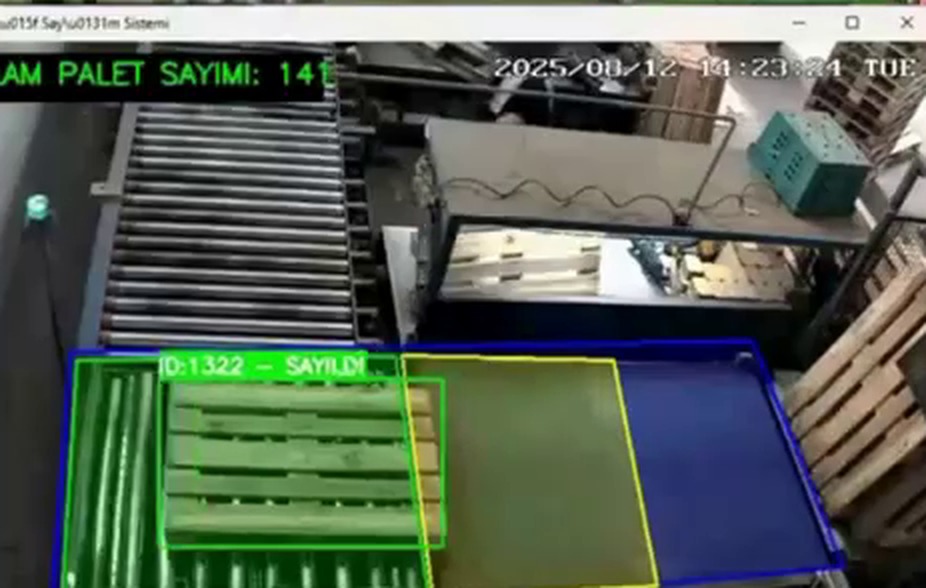
Scenario 3
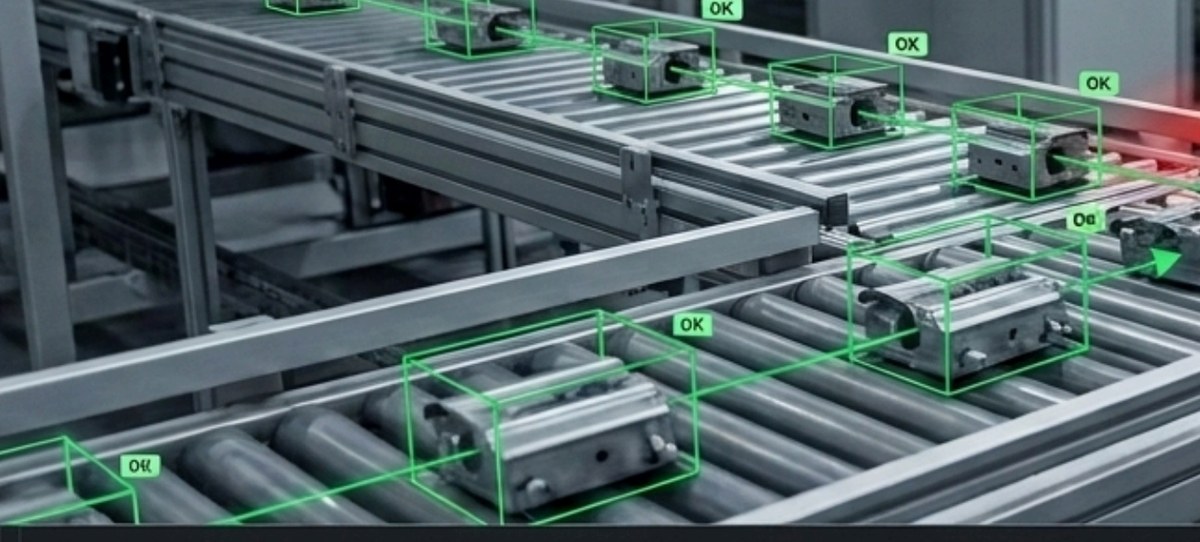
Production line and quality
Process tracking
Second-by-second analysis of assembly steps, product flow and stoppages along the line.
Bottleneck detection
Spots product build-up or unusual slowdown on the conveyor before it turns into lost output.
Quality control
Autonomous separation of defective output or line anomalies that the human eye would miss.
Scenario 4
Machine fleet and productivity
Idle time and utilization
Tracking run hours, idle waiting and actual positions to optimize capacity utilization.
Equipment and geofencing
Preventing unauthorized use of valuable equipment and detecting when it leaves its designated work zone.
Predictive maintenance data
Identifying machines that stall repeatedly so maintenance is planned on data, not intuition (OEE).
One screen
A single nervous system for your plant
Volly is not just a safety tool or just a production tool. It is an intelligence layer where safety, production flow and machine data meet on one screen. Forget fragmented systems.
The shift
From passive monitoring to autonomous decisions
We don’t ask you to replace your infrastructure — we only add the intelligence.
Rule engine
Build your own rules without a single line of code
No-code
Drag-and-drop scenario design, with no AI engineer required.
Speed
Complex safety rules are built in minutes, not hours, and go live on the floor immediately.
Simulation
Live preview lets you confirm the logic is right before it ever goes live.
Spatial analysis: with unlimited polygons, every zone in a single camera view gets fully independent rules — which is how false positives are driven down.

Next step
Let’s start with a 30-day field pilot
A narrow pilot on a single line: we prove the result with your own data before any broad commitment.
Scope
- One production line
- Three cameras from your existing network
- Two scenarios of your choice
What we measure
- Number of violations detected
- Response time before and after
- Stoppages and bottlenecks on the line
What you get
- Installation and camera integration
- Rule design together with your team
- A weekly results report
Agoris
POS for Cafés, Restaurants and Markets
Bring everything behind the counter onto one screen
Café, restaurant, supermarket or corner shop — orders, payments, stock and the end-of-day report in one place. Runs on the tablet you already have, configured to your business.
The problem
The till is running, but nobody knows what is happening
In most venues the sales are in a notebook, the bill is in someone’s head and the stock is a guess. When the day ends only the cash in the drawer is left — and whether it is right, nobody knows.
A bill written on paper
The tab stays on paper; tables get mixed up, one item is forgotten and nobody notices.
The day closes on a guess
You only learn how much you sold by counting the drawer — and what sold, you never learn at all.
Stock by hearsay
You find out an item ran out when a customer asks for it. The next order is placed on instinct.
The cost
The loss nobody sees repeats every single day
Short and wrong bills
Adding a tab by hand always slips, and the difference lands against the business every time.
A forgotten tab
One table left unclosed at peak hour eats that day’s profit.
Sales lost to an empty shelf
An item missing from the shelf is an order never asked for — and the customer does not ask twice.
The shift difference
If nobody records who opened and closed the drawer, nobody is responsible when the count is off.
These items look small because they appear one at a time. The first thing Agoris does is make them visible.
The solution
From setup to closing, in five steps
Setup finishes in a single day. We enter the menu, we define the staff together — and the next morning the till opens.
Installed
Opens on a tablet or computer; no extra hardware required.
Configured
You pick the business type and switch off the modules you do not need.
Menu entered
Products, categories and prices are defined.
Selling starts
Orders are taken, payment is collected, receipts print.
The day closes
The revenue, stock and shift report comes out on its own.
Staff need no training course; the screen was built for whoever stands at the counter.
Scenarios
What it does in which venue
Scenario 1
Café and restaurant
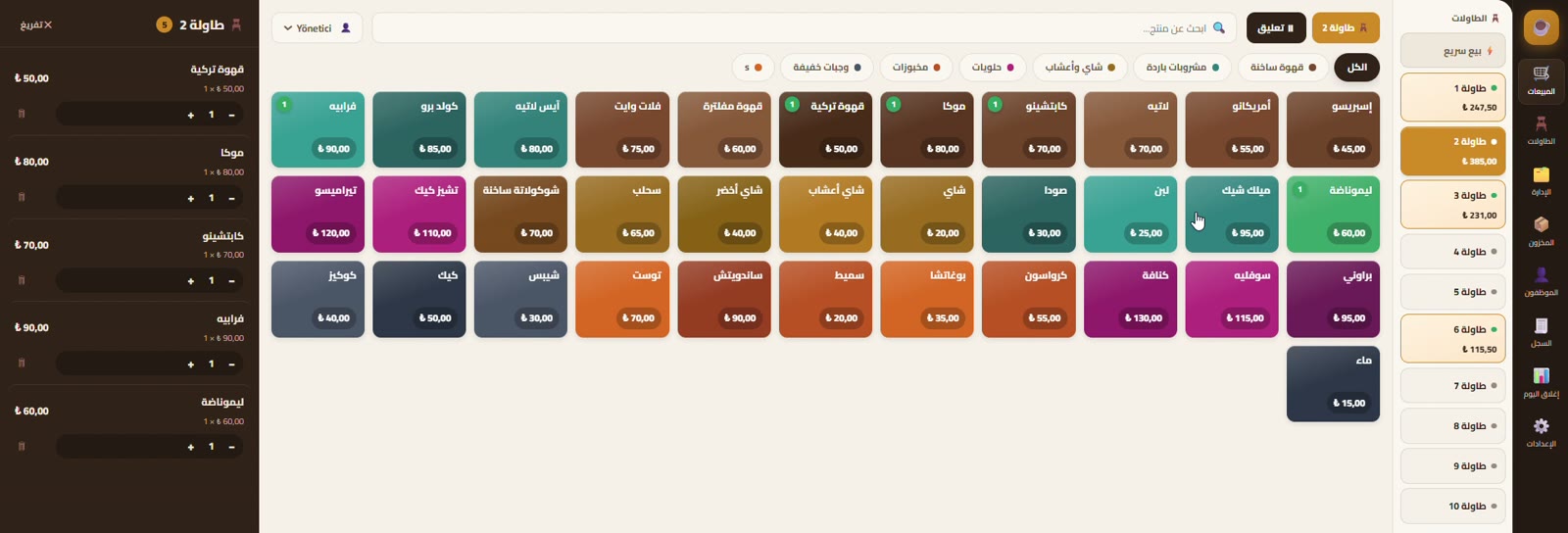
An open tab per table
Every table carries its own tab and its total shows live in the side list. You set the number of tables yourself.
Service charge and discount
The service rate is defined in settings and lands on the bill by itself; the discount applies to the bill, not line by line.
Takeaway and quick sale
For customers who do not sit down there is a quick-sale mode: collect payment without opening a table.
Scenario 2
Supermarket, grocery and kiosk
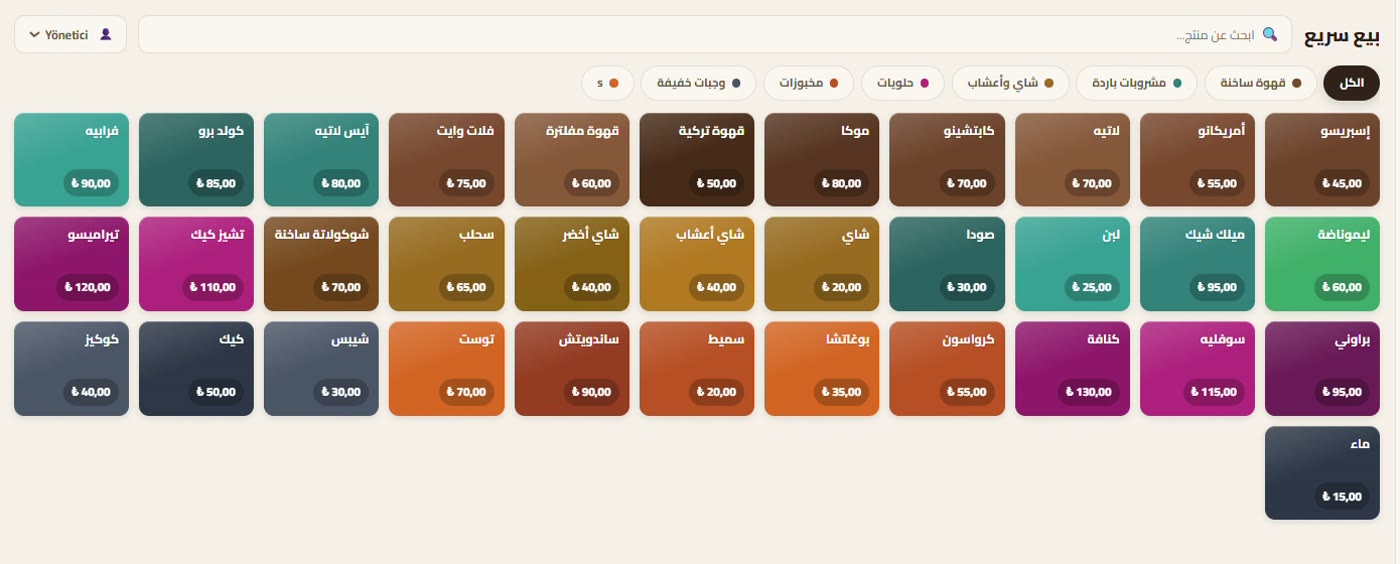
No tables? Then no tables
The table module is switched off in settings and the screen opens straight onto selling; nothing unused sits on the till.
Selling by weight
Items sold on the scale are priced per kilo; the cashier enters the quantity and the amount is calculated automatically.
Barcodes and fast search
Barcoded items are scanned; items without one are found from the search box in seconds.
Scenario 3
Stock and loss prevention
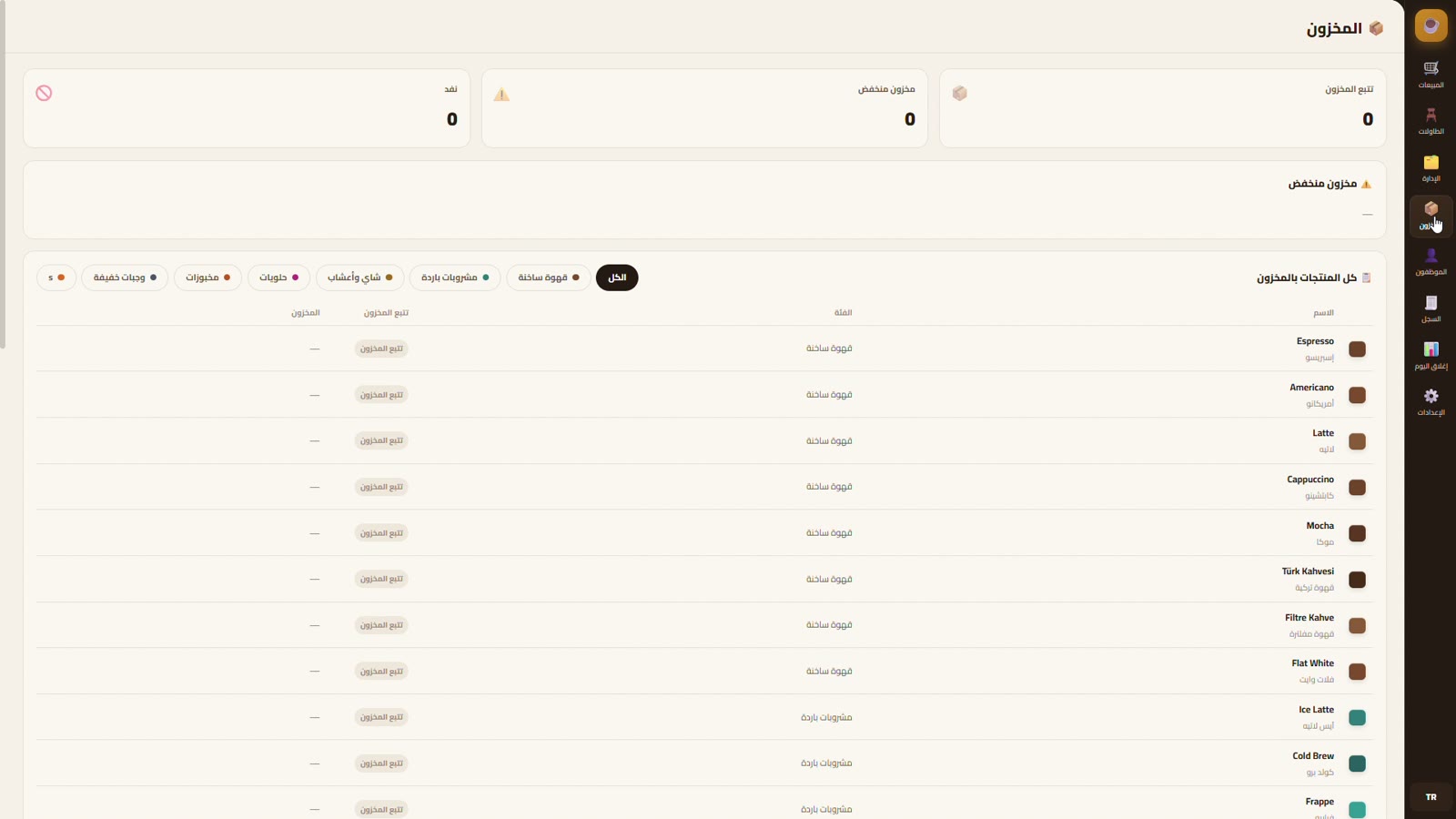
Stock that falls with the sale
Stock is not a ledger separate from the sales screen; it goes down by itself as each order closes.
Low-stock warning
Items that drop below the threshold you set collect in a separate alert list.
Chosen per product
Not every product needs stock tracking; you choose which ones are watched.
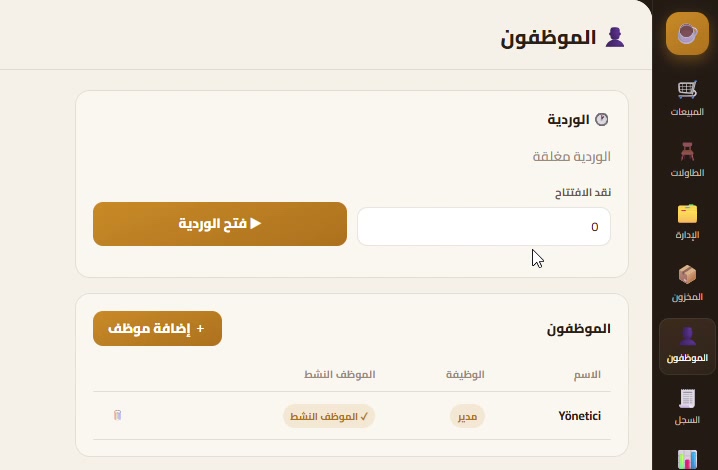
Scenario 4
Staff and shifts
A shift with an opening float
A shift opens by entering the cash already in the drawer, and the closing figure builds on that number.
Staff and roles
Staff are defined with their roles, so a manager and a cashier do not use the same screen with the same rights.
Receipts you can go back to
Old receipts can be viewed and reprinted from the sales log, so there is somewhere to look when a bill is disputed.
End of day
What the day brought is clear at closing
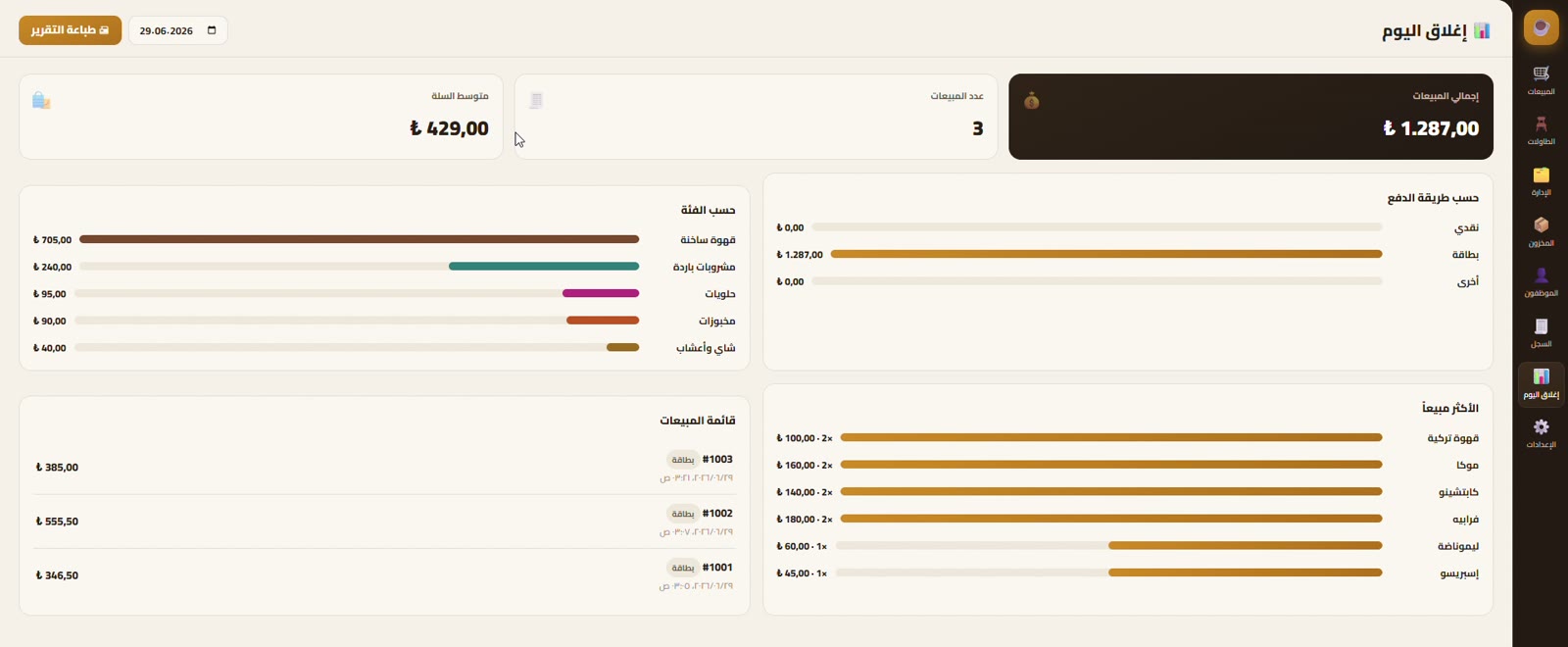
Total revenue, cash in the drawer, the cash-versus-card split, what each category brought in and what sold most — all on one page, ready to print. Tomorrow’s order is placed from this page, not from a hunch.
The shift
From a notebook to a business you can measure
We fit the system to the business, not the business to the system.
Settings
The same system, and it looks different in every venue
Switch off what you do not need
A market with no tables does not keep a table screen; an unused module is switched off in settings.
Your own rules
Currency, service rate, low-stock threshold, receipt footer and interface language — every one of them is a value you set.
No code involved
All of it changes from the settings screen, with no technical knowledge needed.
You do not carry on screen what your venue does not have — and everything it does have has a setting behind it.
Next step
Let’s start with setup in a single day
Let us see your venue and enter your menu ourselves. The next morning, the till opens on your own system.
Scope
- On-site setup at your venue
- Entering the menu, categories and prices
- Receipt printer connection and a test receipt
What gets configured
- Modules according to the business type
- Service rate, currency, stock threshold
- Staff and shift definitions
What you get
- A till that actually works
- A short walkthrough for the staff
- Support through the first week
Palestris
Gym Membership & Payment System
Register the member without paper, collect payment in the same moment
A membership, contract and payment system for multi-branch gyms. Registration finishes not at the front desk, but on the member’s own phone.
The problem
Memberships in a notebook, payments in someone’s head
A new member arrives: a form is filled in, a contract signed, money taken — then somebody types all of it into a computer. Something is lost at every step.
A paper form, typed twice
The member fills in the form, then a staff member types the same details into the system. Anything written twice gets written wrong at least once.
The contract sits in a folder
The signed contract stays in a cupboard; when a dispute comes up it gets searched for, and usually not found.
Branches cannot see each other
Every branch keeps its own book; to see total revenue you have to merge them by hand at month end.
The cost
A membership nobody tracks quietly disappears
An expired member
If nobody calls, they do not renew. Replacing a member who left costs several times more than keeping them.
An uncollected balance
The member who said “I’ll pay later” never pays, if it was not written down somewhere.
A disputed contract
If the signed document cannot be produced, the argument ends in the other party’s favour.
An invisible gap between branches
If you do not know which branch brings in what, the investment goes to the wrong place.
None of this happens as one big event; it leaks a little every month. The first thing Palestris does is make the leak visible.
The solution
Registration finishes in four steps
A staff member creates one link; the rest is on the member. It works on a tablet at the gym, and it works while the member is at home.
Staff create a link
Branch · package · duration · amount
The member fills it in
A tablet or their own phone
Contracts are approved
Clauses managed from the panel
Payment is collected
Membership active
No paper · no manual entry · the contract stays with the member
Staff fill in not a single field, so “the phone number was typed wrong” stops being a problem.
Scenarios
What it solves at the gym
Scenario 1
Registration and contract
A pre-filled link
Branch, package, duration and amount arrive inside the link, so nothing can be picked wrongly at the other end.
Contract clauses from the panel
Consent texts are managed in order from the panel and appear to the member on the registration screen.
The approval lives on the member
The approved contract stays attached to the member and opens with one click when disputed.
Scenario 2
Membership lifetime and freezing
Extended by the frozen days · every stage on the member’s record
Packages belong to a branch
Every branch sets its own packages, prices and durations.
Freezing — no days lost
A member who travels or gets injured has their membership frozen, and the frozen days are added to the end. The member loses nothing, and you avoid the argument.
Search and filter
A member is found by name, ID number or email, and filtered by branch and status.
Scenario 3
Many branches, one panel
One management panel
Revenue · active subscriptions · new member flow
Its own packages
Its own members
Its own packages
Its own members
Its own packages
Its own members
Its own packages
Its own members
A member sits where they registered · revenue gathers in one place
Everything per branch
Packages, members and revenue belong to a branch and never get mixed up.
The total on one screen
Revenue, active subscriptions and the flow of new members gather in one place for every branch.
A new branch in minutes
The branch is added, its packages defined, and the registration link produced the same day.
Scenario 4
The gym’s shop window, in the same panel
Services
The gym’s services are published on the site, ordered and categorised.
Blog and announcements
News and campaigns are written in the panel and land on the site immediately.
Careers and enquiries
Job applications arrive with their CV, and enquiries arrive as leads, both into the panel.
These are drawn diagrams, not screenshots: real member data from the client panel is not published.
One screen
The pulse of the gym on one screen
Total revenue
What the gym has collected, across every branch.
Total members
Everyone registered in the system, searchable and filterable.
Active subscriptions
How many are actually members today — not how many ever signed up.
Job applications
Applications waiting, so nobody gets lost in an inbox.
The latest subscriptions and newest members run along the bottom. A manager opening the panel in the morning sees yesterday at a glance.
The shift
From paper to a membership you can measure
Staff do less, the member has an easier time, and the registration is booked into the accounts at the same instant.
Payments
Payment at the same instant as registration
Integrated per provider
The payment layer is not fixed; it connects to whatever the provider’s API is. In Syria, Sham Cash is what runs today.
Keys live in the panel
Payment keys are managed from the settings screen; the code is never touched.
The payment is tied to the record
Each payment arrives knowing which member, which package and which branch it belongs to.
The payment is not on a separate device and the registration in a separate book; both are parts of one transaction.
Next step
Let’s go live within a week
We will define your branches and packages ourselves, and migrate your existing members.
Scope
- Defining branches and packages
- Entering the contract texts
- Connecting and testing payments
What gets migrated
- The existing member list
- Active membership durations
- Per-branch pricing
What you get
- A panel that actually works
- A walkthrough of the flow for staff
- Support through the first month
Let's Talk About Your Project
Let's build it together
Tell us your idea, your need or your existing system — our team will get back to you with a tailored roadmap.